
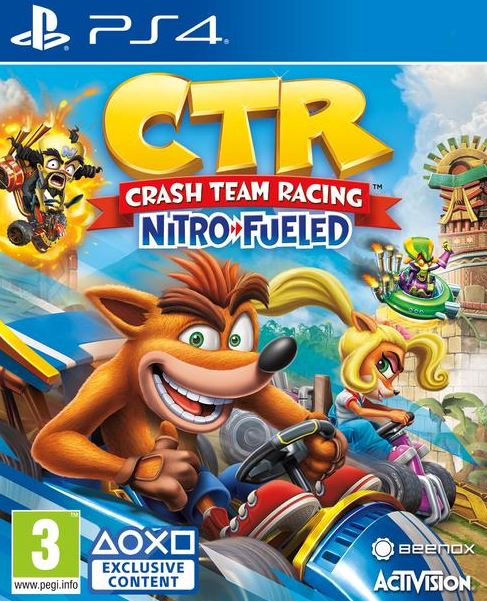
CTR Crash Team Racing Nitro Fueled (PS4) (Fyndvara - Läs Text)
199 SEK
Levereras via post skiva utan original fodral
- Betalning med Swish, Kort, Internetbank eller faktura
- Kontakta oss gärna via e-post, info[@]cdkey.se
- Digitala koder levereras normalt inom 30 minuter
- 1-3 dagar leveranstid med DHL och Postnord
- SkickBegagnad
Beskrivning
Art.nr: 5030917269646
Efter att du lagt till spelet på ditt Playstation 4 kan du spela spelet via ditt vanliga konto.
- THE PS4 IS OFF, if it is on PLEASE turn it off, this step is compulsory.
- Once off, turn it ON and choose "new user", or If you have Automatic Login, press the PS button for a few seconds and choose the second option that appears is "Log out of PS4" and press the PS button, and then go to "New user".
- Choose "Create a User" and accept the terms and then Next.
- Enter your login details from e-mail.
- After entering the data, when the message "Activate as Your Primary PS" you have to press "Activate".
- If you go now to the Library you will find the game you've purchased and you will be able to initiate the download.
If you don't see the game in Library then you will find it in "Purchased"- Once set to download (not have to wait until the download is complete)
Leave the account by pressing the PS button for a few seconds and then "Log Out Ps4".
- Log in to your usual account.
- Wait for to download to complete and the game and will be yours forever.
- THE PS4 IS OFF, if it is on PLEASE turn it off, this step is compulsory.
- Once off, turn it ON and choose "new user", or If you have Automatic Login, press the PS button for a few seconds and choose the second option that appears is "Log out of PS4" and press the PS button, and then go to "New user".
- Choose "Create a User" and accept the terms and then Next.
- Enter your login details from e-mail.
- After entering the data, when the message "Activate as Your Primary PS" you have to press "Activate".
- If you go now to the Library you will find the game you've purchased and you will be able to initiate the download.
If you don't see the game in Library then you will find it in "Purchased"- Once set to download (not have to wait until the download is complete)
Leave the account by pressing the PS button for a few seconds and then "Log Out Ps4".
- Log in to your usual account.
- Wait for to download to complete and the game and will be yours forever.